ClipTime: Clipboard History for Chrome That Survives a Restart

· 2 min read
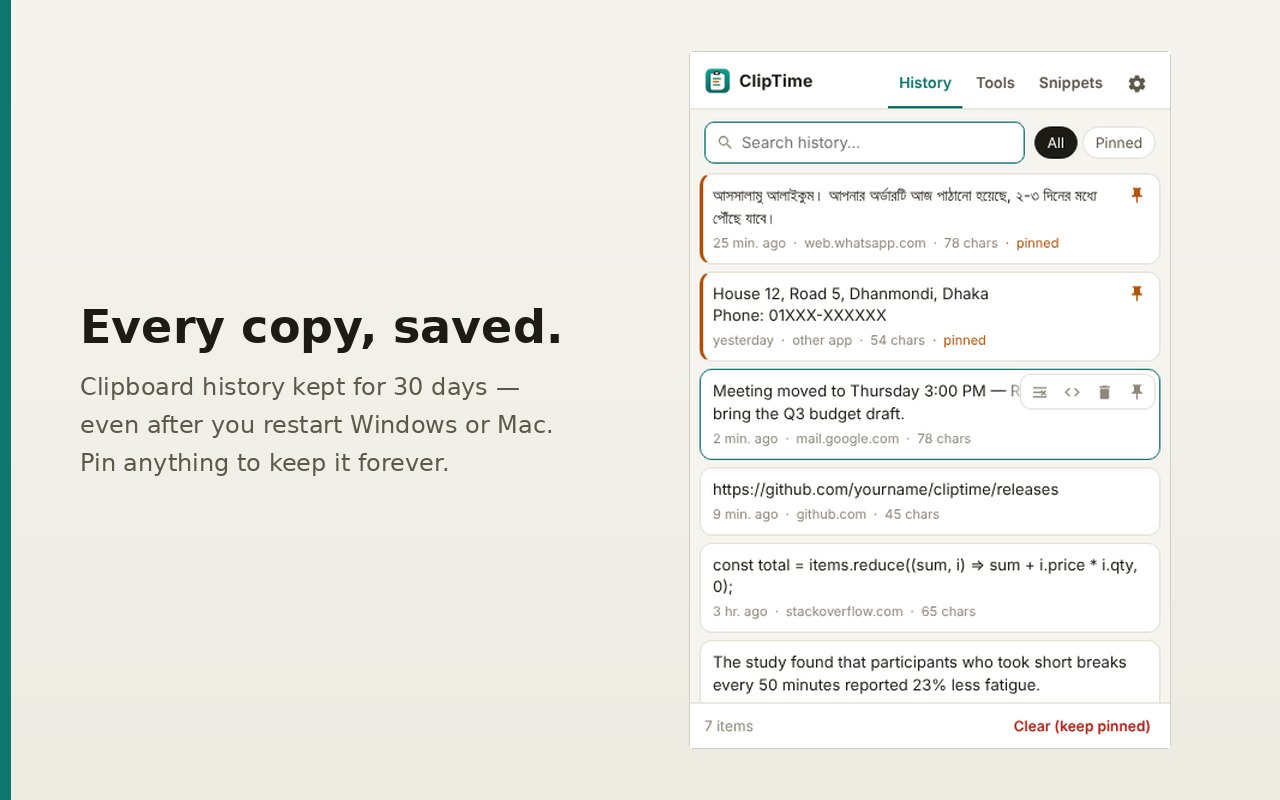
Nobody counts how often they copy and paste in a day. But copy one thing and the previous one is gone: an address, a link, a client's text, and you have to find it again. ClipTime solves that. It is a Chrome extension that remembers everything you copy, even after you shut down and restart your computer.
Clipboard history
Whatever you copy on any site, whether with Ctrl+C, a right-click, or the site's own "Copy" button, lands in your history. Each item shows when it was copied and from which site.
- Search: find an old copy in seconds.
- You choose how long to keep it: 30 days by default, anywhere from one day to forever, up to 10,000 items.
- Pin: pinned items are never deleted.
- Keyboard-first:
Alt+Shift+Vopens the popup; pick an item with the arrow keys and press Enter to copy it. - Other apps too: text copied in Word or Notepad is saved when you open the popup.
One-click clean-up
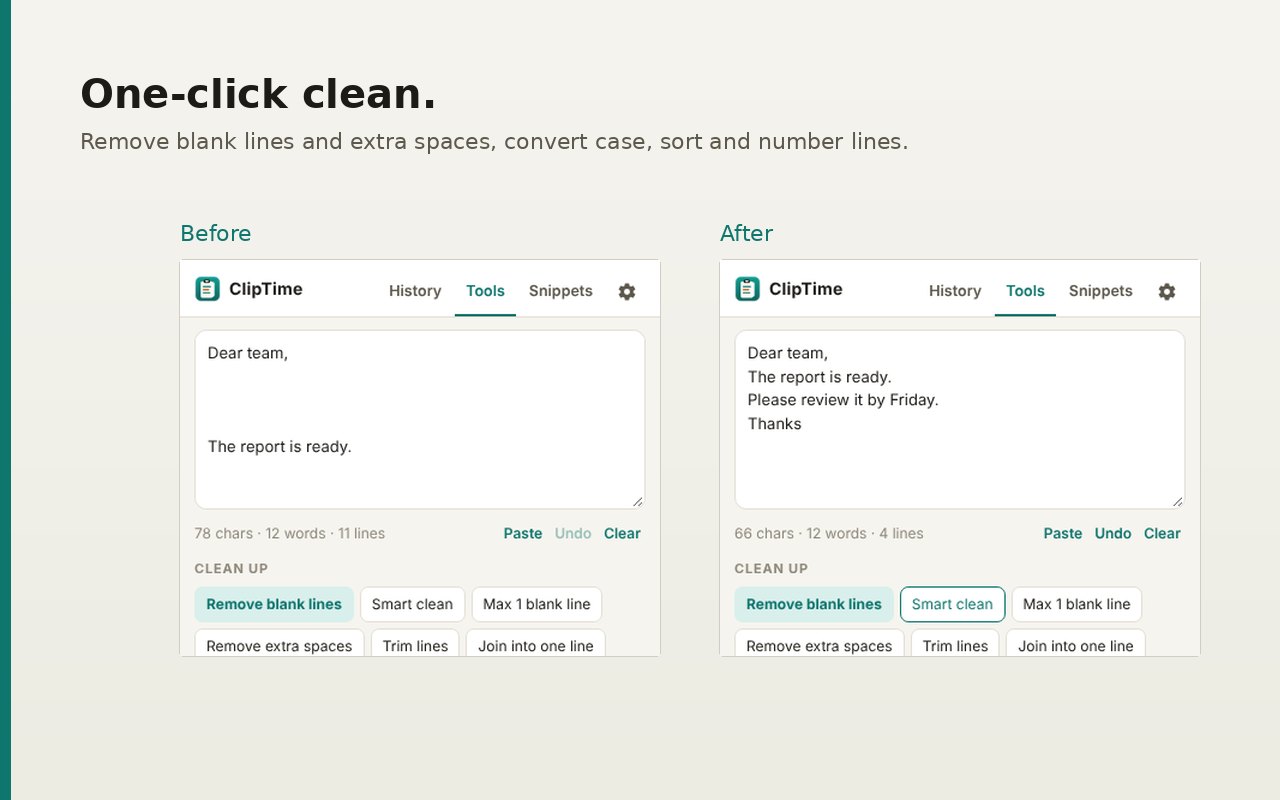
Text copied from a PDF or a website is often full of blank lines and stray spaces. The Tools tab removes blank lines or extra spaces, joins everything into one line, or strips HTML in a single click.
It also converts case: UPPER, lower, Title and Sentence, plus camelCase, snake_case, kebab-case and more for developers. It can sort lines, number them, remove duplicates, and switch between Bangla and English digits (১২৩ ↔ 123).
Snippets: type it once
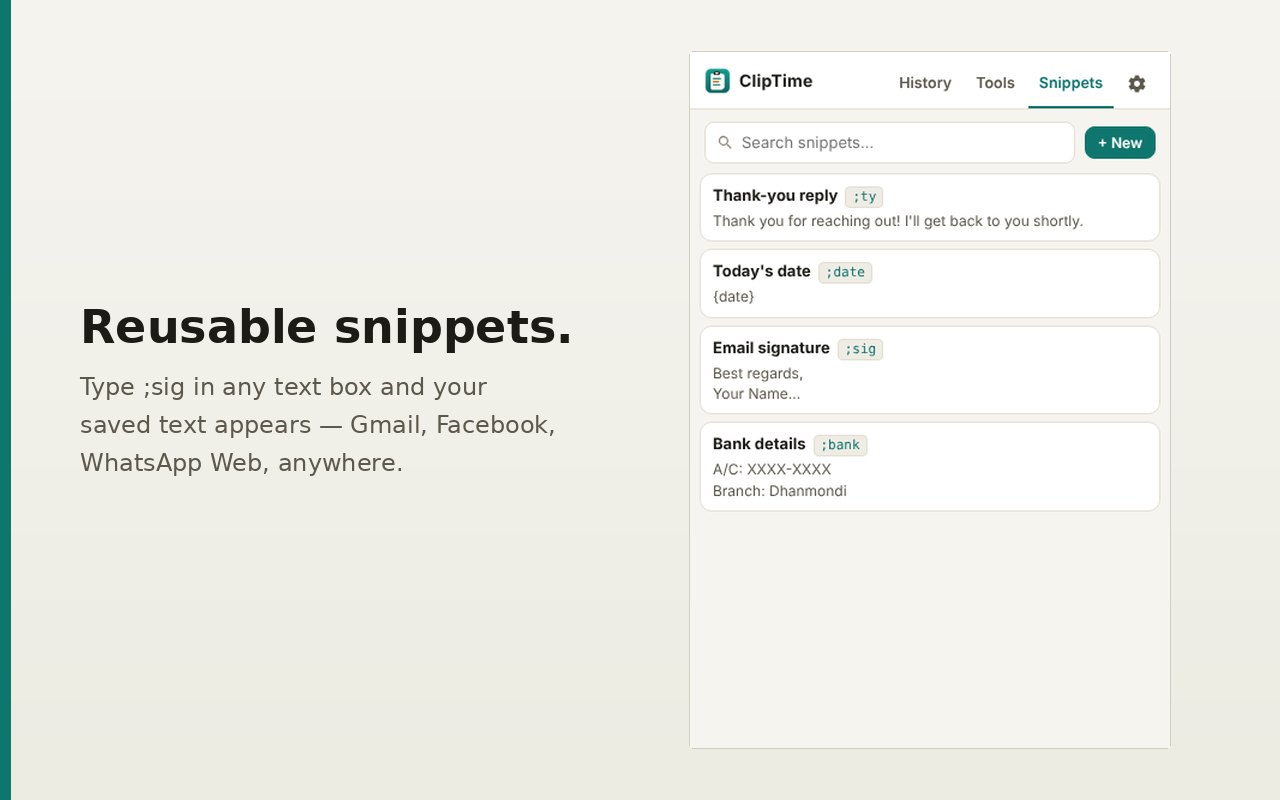
Email signatures, thank-you replies, bank details: things we type over and over. Save each one as a snippet with a shortcut such as ;sig, then type that shortcut in any text box, from Gmail to Facebook to WhatsApp Web, and the full text appears. {date} and {time} fill in today's date and the current time.
Privacy first
A clipboard holds passwords, bank details and private messages, so privacy was not negotiable:
- All data stays in Chrome on your own computer. ClipTime sends nothing to any server and makes no network requests at all.
- Text copied from password fields is never saved.
- Specific sites can be excluded entirely.
- No account, no ads, no paid plan.
History and snippets can be exported and imported for backup. The interface is available in Bangla and English and follows the browser's language.
Install
ClipTime is free and open source under the MIT licence, and works in Chrome on both Windows and Mac. It is not on the Chrome Web Store yet, so for now download the zip from the GitHub Releases page and install it with "Load unpacked" in Chrome's Developer mode. The steps are described in detail on GitHub.