ODM: A Free, Open-Source IDM Alternative for macOS

· 3 min read
ODM (Open Source Download Manager): A Free IDM Alternative for macOS
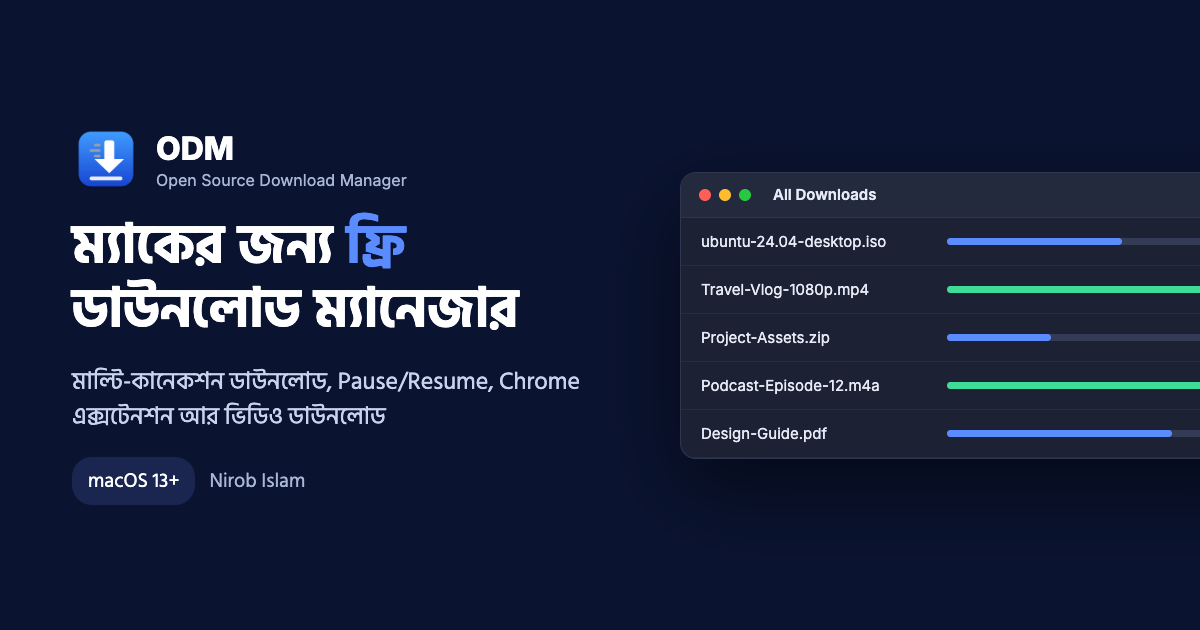
ODM (Open Source Download Manager) is a completely free, open-source download manager for macOS. Windows users who switch to Mac often miss one thing the most: a fast, reliable download manager. I built ODM to fill that gap.
Mac's built-in browser typically downloads a file using a single connection. If your internet connection drops, you may sometimes have to restart the entire download. ODM splits a file into multiple segments and downloads them simultaneously. If a download is interrupted, it can resume right where it left off.
Download Link: github.com/niruvai/odm/releases/latest
What ODM Offers
| Feature | What It Does |
|---|---|
| Multi-Connection Downloads | Downloads a single file using up to 8 simultaneous connections by default (adjustable from 1 to 32). |
| Dynamic Segmentation | When one connection finishes early, it takes over remaining segments, helping maintain download speeds until completion. |
| Pause / Resume | Resume downloads from where they stopped, even after an internet disconnection or closing the app. |
| Download Progress Window | A separate window for each download, similar to IDM, showing speed, time remaining, and the progress of individual connections. |
| Chrome Extension | Automatically sends browser downloads to ODM. Also works with Edge and Brave. |
| Video Downloads | An ODM button appears on video pages, allowing downloads up to 1080p or audio-only. |
| Organized Folders | Automatically sorts videos, music, software, and documents into separate folders. |
| Automatic Updates | Displays an "Update Now" option in the app when a new version is available. |
ODM also includes a menu bar icon, displays the number of active downloads in the Dock, and prevents your Mac from going to sleep while downloads are running.
How to Install ODM
ODM requires macOS 13 (Ventura) or later. It works on both Apple Silicon and Intel Macs.
- Download ODM.zip from the latest release.
- Extract the ZIP file and drag ODM.app into your Applications folder.
- Open ODM. The first time you launch it, macOS may say that the developer cannot be verified. If this happens, go to System Settings → Privacy & Security and scroll down to click Open Anyway.
ODM is free and does not have Apple's paid Developer ID signing, so you may need to complete this step the first time you open it. The entire source code is available on GitHub for anyone to inspect.
How to Install the Chrome Extension
Once the extension is installed, Chrome downloads are automatically redirected to ODM, and an ODM button appears on video pages.
- Open ODM and select Settings (⌘,) → Browser → Show Extension Folder.
- In Chrome, open
chrome://extensionsand enable Developer mode in the upper-right corner. - Click Load unpacked, press ⌘⇧G, and enter this path:
~/Library/Application Support/ODM/ChromeExtension
If the ODM app is closed, Chrome will download files normally using its built-in downloader.
Tip: In Chrome, go to Settings → Downloads and turn off "Ask where to save each file."
How to Use ODM
| Task | How to Do It |
|---|---|
| Download using a link | Press ⌘N. A copied link is inserted automatically, and you can also add multiple links at once. |
| Download from Chrome | Start a download as usual, and ODM will automatically capture it. |
| Download videos | Click the ODM button below a video and select the desired quality. On other supported sites, click the extension icon → Download video. |
| Pause / Resume | Use the toolbar buttons, right-click menu, or download progress window. |
| Pause All / Resume All | Use ⇧⌘P / ⇧⌘R. |
| Open a file | Double-click a file in the list or use Open Folder in the window. |
Files are saved to ~/Downloads/ODM/, organized into separate folders according to file type.
If a video displays a "confirm you're not a bot" message, enable Settings → Video → Use my browser sign-in.
Free and Open Source
ODM is completely free and open source under the MIT License. You can explore the code, report issues, or contribute improvements on GitHub.
One request: Please download only videos you have the right to save, such as your own uploads, Creative Commons content, or videos you have permission from the owner to download.
- Download: github.com/niruvai/odm/releases/latest
- Source Code: github.com/niruvai/odm
- Report Issues: GitHub Issues
ODM was created by Nirob Islam.
I'd love to hear what you think after trying it: Facebook · Instagram